CSS Intro
6/7/2024By Tony
Congratulations! You've made it to the MacLearn CSS Course! You've learned a lot from the HTML course and you're getting closer and closer to being an expert in web development! With HTML, you can build your website's content, and now, with CSS's help, you can make your website look more visually appealing!
So what's CSS, actually? CSS, or Cascading Style Sheet, is a markup language used in web development along side HTML, and it's responsible for the styling and the layout of a website, such as the colors, the positioning of the elements, the font size, even gradients and animations, and so, so much more. Basically, CSS turns your website from plain text and content into a visually appealing interface by defining the layouts and the designs of the elements.
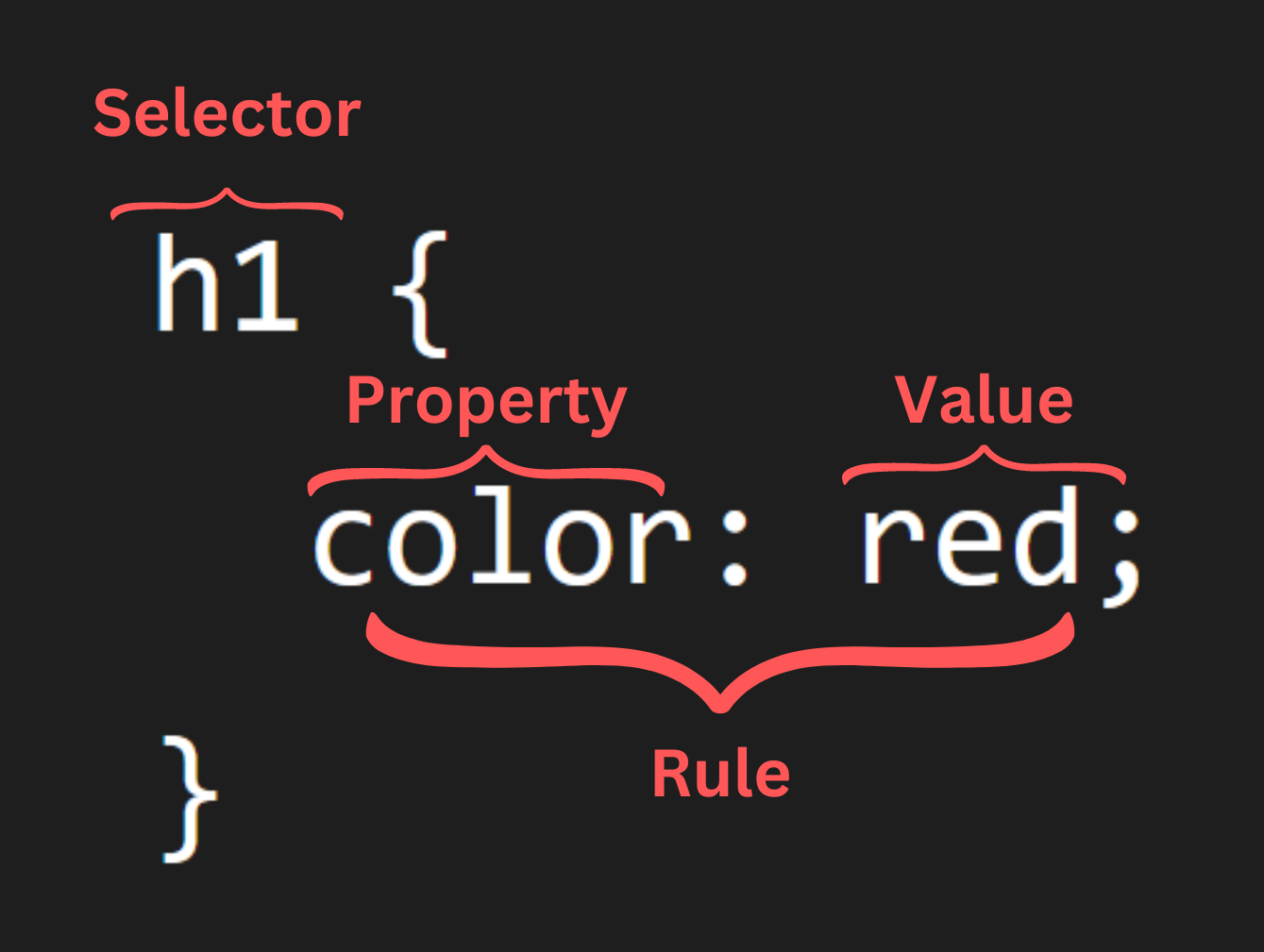
Here's an image explaining CSS's syntax, or the "grammar" for coding languages. Let's say you want to apply some CSS code to a <h1> element to make it red.
- First, you need to select that <h1> with CSS, otherwise it won't know which element you want to style. This is done by directly typing out the element without the < or the >. This is the "selector".
- Then, leave a space and type two curly brackets {} after the selector. The brackets will contain all the CSS code for the <h1> element.
- To change the color, you need to use the CSS property "color". After the property, add a colon, and then the value "red". This tells CSS to make the <h1> text red.
- Finally, close off the rule, or property-value pair, with a semi colon (;) and make sure the rule is inside the curly brackets.
h1h1 {}color: redh1 {color: red;}Good job, you just learned your first line of CSS and the basic syntax for it! See the below example for the output of the code.
Here are some very important CSS concepts to keep in mind:
- Selector: Tells CSS which HTML element to style (h1 in this case).
- Property: What you want to change, or style, about the element (color).
- Value: What you want to change the property to (red).
The above example is just a sneak peek of what CSS can do. Feel free to play around with it to see what happens, and click on the Next button to move on and start learning more CSS rules and master the power of CSS!